 -- OR --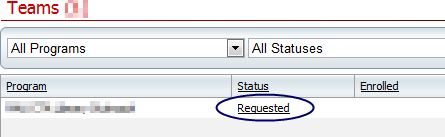
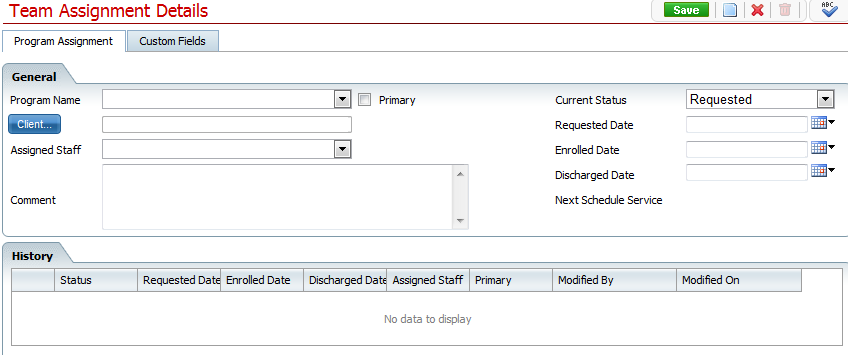
The Assignment Details Page is where you can input information when creating a new record or view and edit information from an existing record.
The Assignment Details page is accessed by Clicking "New" on the Program Client list page or by clicking an existing records status hyperlink.
-- OR --

Create a new record
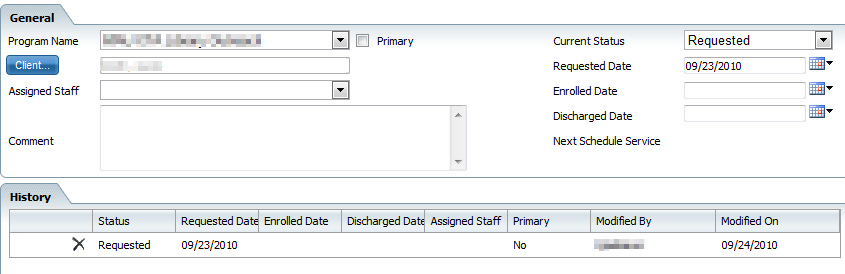
View and Edit the Details of a previously entered record
After clicking on the New tool from the Program List page, a blank Assignment Details page will open up. To complete the creation of a new Program record, proceed with the filling in the following fields:
Program Name - List of programs.
Assigned Staff - List of (alphabetically)active track names.
Comment - Area for additional comments
Current Status - List of statuses
Requested Date - Displays Date Requested
Enrolled Date - Displays Date Enrolled
Discharged Date - Displays Date Discharged
After clicking on an existing record Status hyperlink from the List page the desired record will appear and fields will be editable.
Remember to Save.
To save click the save button located in the tool bar on the top right of the screen to save any modifications made.


SmartCareEHR User Help
Version 2.1
Copyright © 2012 Streamline Healthcare Solutions